
Guide
Israeli TV App and Devices: Fire TV Stick, Smart TV, Apple TV, Phone and Roku
Last updated: 5 min readBy israeliptv.vip
There is no single Israeli TV app to download. What you get with a plan is a login, and you open it in a player app on the device you watch on today: a Fire TV Stick, a Samsung or LG Smart TV, Android TV, Apple TV, a phone or a computer. This guide goes device by device, says what to install, and answers the Roku question honestly.
Is there one Israeli TV app for everything?
No. Each Israeli broadcaster publishes its own app for viewers inside Israel: Kan, 12+ for Channel 12, 13tv for Channel 13, Now 14. Those apps are built and licensed for Israel. A plan from israeliptv.vip works differently. After payment you receive login details, and any player app that accepts an M3U playlist or a username and password shows the channels and the on-demand library. That is why the same plan runs on a TV, a stick, a phone and a laptop, and why there is no app of our own to install.
Which player apps work with the plan?
On Fire TV and Android TV, the common choices are IPTV Smarters Pro and TiviMate. Samsung and LG sets take players from their own app stores. Apple TV, iPhone and iPad use players from the App Store. On Windows and Mac, a desktop player or VLC opens the playlist link. These are third-party apps: we do not publish them, they carry no channels of their own, and some of them charge a small activation fee to their maker. When you order, the form asks which device you will use, and the login arrives with the steps for it.
Fire TV Stick: the simplest route
A Fire TV Stick in an HDMI port turns any television into a device that plays the plan, which is why it is the one we suggest when someone is unsure.
- On the stick, search the Amazon Appstore for IPTV Smarters Pro or TiviMate and install it.
- Open the app and pick the sign-in option that asks for a server address, a username and a password.
- Type the three lines from your welcome message. On a phone, the same lines can be pasted into the app.
- Wait for the channel list to load, then open the Israeli group: the Israeli channels sit together.
- Add the channels you watch most to favorites, so the 8 pm news is one click away at 1 pm.
A Fire TV Stick on the 5 GHz band of your Wi-Fi, or on an Ethernet adapter, holds a steady picture on match days.
Samsung and LG Smart TVs
Samsung sets running Tizen and LG sets running webOS take player apps from their own stores, so no extra device is needed. Search the store for an IPTV player, install it, and enter the same login. Some of these apps ask for a one-time activation fee, paid to the app maker, not to us; the fee is usually a few dollars. On a set older than about 2016, the store may not carry a current player, and a Fire TV Stick in a free HDMI port is the simpler answer.
Android TV and Google TV
Sony, TCL and Hisense televisions on Google TV, the Google TV Streamer, the NVIDIA Shield and Android boxes all install a player from Google Play. The steps are the same as on a Fire TV Stick: install, sign in with the three lines, open the Israeli group. Google TV also lets you pin the player to the home row, next to the streaming apps on the same screen.
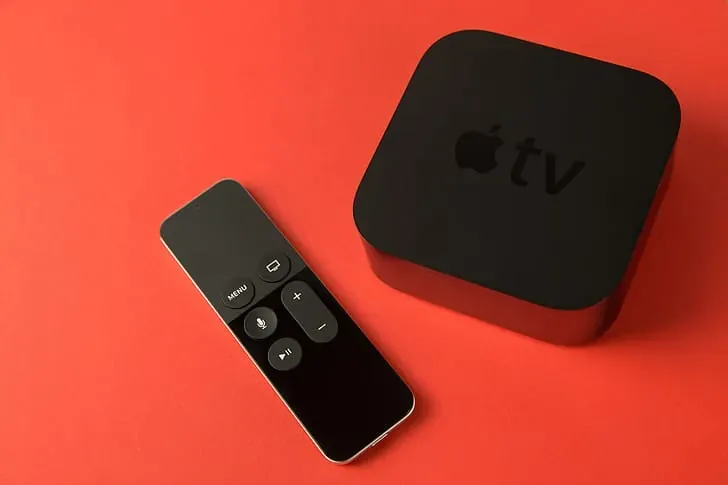
Apple TV, iPhone and iPad
Player apps on the App Store handle the login on tvOS and iOS. On an Apple TV, install the player, sign in once, and the channels appear in the app. An iPhone or iPad works the same way, and AirPlay sends the picture to an Apple TV for a quick watch without setting the box up. A phone counts as one screen, so on a single-screen plan the TV pauses while the phone plays.
Android phones, Windows and Mac
An Android phone or tablet installs the same player as Android TV and plays on Wi-Fi at home or on mobile data on the way to work. On a Windows or Mac computer, a desktop player or VLC opens the playlist link from your welcome message, which suits the 1 pm news at a desk. The picture follows the size of your line: HD needs about 10 megabits per second per screen.
Does Israeli TV work on Roku?
Not directly. Roku's channel store has no player app we recommend, so we do not set up Roku devices. On a Roku TV, the way around it is a second streaming device in a free HDMI port, a Fire TV Stick or a streamer running Google TV, which you reach with the input button while the Roku menu stays as it is. If Roku is the only device you have, ask on WhatsApp before you order; we would rather say so first than sell a plan that will not play.
How fast does the internet need to be?
Count about 10 megabits per second for each screen playing in HD and about 25 for a screen playing in 4K on the Complete 4K plan. A household with two HD screens and one 4K screen needs around 45 megabits per second free at the same time. Most US cable and fiber lines give far more; the weak point is usually Wi-Fi at the far end of the house, which a network cable, a mesh node or the 5 GHz band fixes. An evening speed test on the device itself shows what really reaches it.
Which plan for which device?
One television, on any of the devices above: the Home plan, from $11.99 a month, or the Family plan for the largest series library. One 4K television with a fast line: the Complete 4K plan. Several devices playing at once, say the living room TV, a tablet and a phone: a multi-screen plan, sold for 2 to 5 screens over 12 months. Every option is listed in the price table, and the channels guide explains what plays on each channel.
Questions about apps and devices
Is there a free Israeli TV app?
The Israeli broadcasters publish their own apps for viewers inside Israel, and i24NEWS and ILTV stream English news on YouTube. The full lineup with Hebrew channels, sports and an on-demand library comes with a plan and plays in a player app.
Can I use one login on several devices?
You can install a player app on several devices and enter the same login on each. What the plan limits is how many of them play at the same time: one on the single-screen plans, 2 to 5 on multi-screen.
Does it work on a Samsung TV without a stick?
Yes. Samsung sets from about 2016 on take a player app from the Samsung store; some of these apps charge a small one-time activation fee to their maker. On an older set, a Fire TV Stick in an HDMI port is simpler.
Can I watch on my phone away from home?
Yes, on mobile data or on any Wi-Fi. A phone counts as one screen, so on a single-screen plan the TV at home pauses while the phone plays.
Do I need a special box?
No. A Fire TV Stick, a Smart TV, an Apple TV, a phone or a computer is enough. MAG and Enigma2 receivers also work for people who have one at home, but nothing has to be bought.
Which app do you recommend for a Fire TV Stick?
IPTV Smarters Pro or TiviMate, both from the Amazon Appstore. They are third-party apps, not ours, and they carry no channels on their own: the channels come from the login we send.